TL;DR: Realm makes a Microsoft Sentinel migration easier by sitting between your security sources and both SIEMs. You can send data to your old SIEM and Sentinel from one place, and change where it goes as you migrate to Sentinel. Realm also shows which data your detections depend on, so you can reduce what Sentinel doesn’t need while protecting the data your detections rely on.
Planning a Microsoft Sentinel migration? Microsoft has you covered on a lot of what’s needed. Its official SIEM migration documentation goes over the broader migration process, including detection rules, SOAR automation, historical data, dashboards, and SOC processes.
But there’s still plenty of work involved in moving from one SIEM to another, particularly when it comes to deciding what security data Sentinel needs and managing how that data gets there during the migration.
This article covers six questions to ask before your move, from deciding what to send to Sentinel to running both SIEMs in parallel, managing ingestion costs, and dealing with historical data.
How a Security Data Pipeline Makes Sentinel Migration Easier
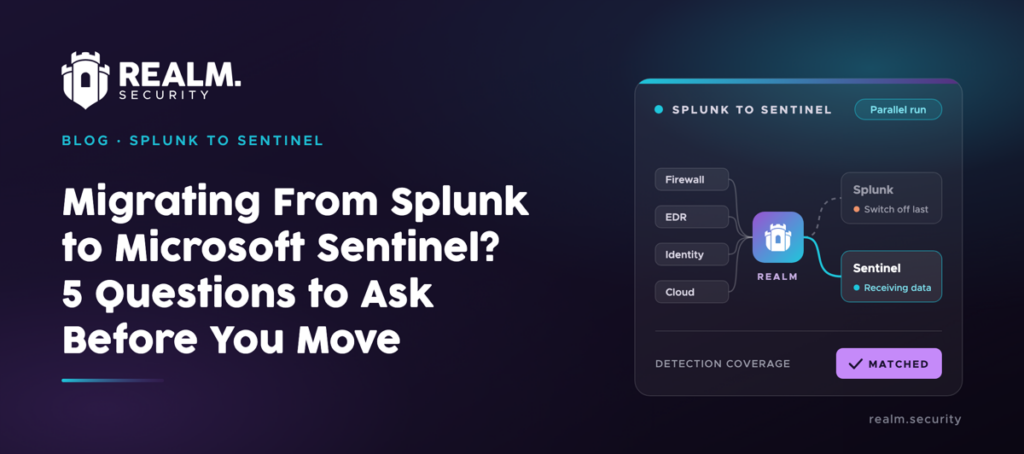
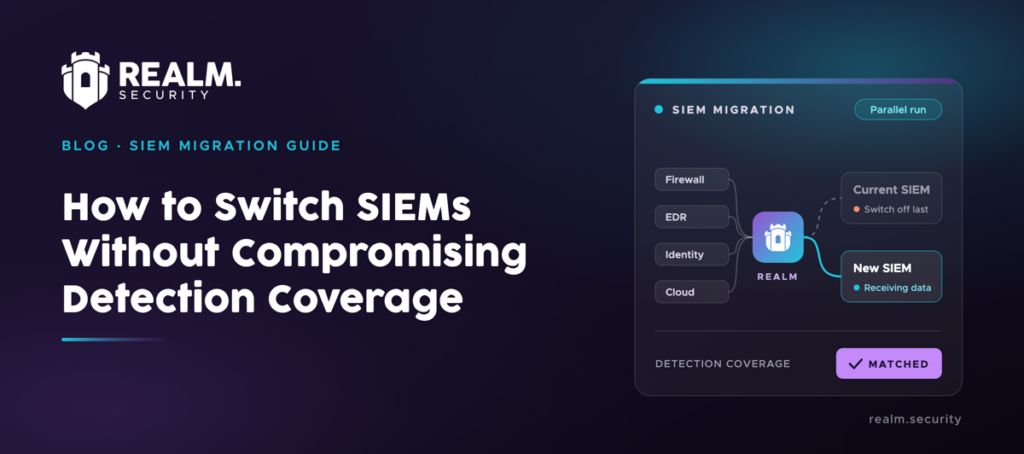
A security data pipeline sits between your security tools and your SIEM. Instead of your firewalls, identity systems, and other tools sending data directly to the SIEM, they send it to the pipeline first. The pipeline can then reduce or transform that data and send it to the right destination.
You may need to change the configuration of individual security sources when you want to send their data to a new SIEM.
The sources continue sending their data to the pipeline, and you change where the pipeline sends it instead.
Realm is the SOC-aware security data pipeline. Besides routing and reducing security data, it reads your detections and maps them to the data they depend on, so you can cut volume without losing coverage.
Try Realm for yourself on your own data, for free.
6 Questions to Ask Before Your Microsoft Sentinel Migration
Here’s what every SOC team should ask before moving data from their existing SIEM to Microsoft Sentinel (and where Realm fits in).
- What actually needs to move to Sentinel?
- How will you get your security data into Sentinel?
- How will you run both SIEMs during the migration?
- How will you know when Sentinel is ready to go live?
- What happens to your historical data?
- What should your setup look like after you complete your Sentinel migration?
Question 1What actually needs to move to Sentinel?
You don’t have to copy everything from your current SIEM into Microsoft Sentinel. Microsoft’s own migration guidance suggests reviewing rules that haven’t triggered alerts in the past 6 to 12 months and removing low-level threats or alerts you routinely ignore.
The same applies to data. Sentinel’s analytics tier is built for real-time analytics rules and alerting, and costs more to ingest than the data lake tier, which is meant for lower-cost, long-term retention.
Read our Sentinel pricing guide to see how Sentinel pricing works and how to cut costs.
Before you connect anything, it’s a good idea to work out which detections you want to keep and which data they depend on. That will tell you what Sentinel needs for detections and where you may be able to reduce unnecessary data.
Question 2How will you get your security data into Sentinel?
If you’re moving from Splunk or QRadar, Microsoft’s SIEM migration experience recommends data connectors based on the detections it matches, so you can see which sources Sentinel needs. Before enabling these detections, you need to make sure the required data is reaching Sentinel.
You also need to make sure that data arrives in the form your detections expect. Microsoft notes that working with different data types and tables means writing separate rules and queries for each schema, even when the sources have a lot in common.
Microsoft’s Advanced Security Information Model (ASIM) is one way to handle this. It normalizes data from different sources into a common schema, so detections written for ASIM can use consistent field names and values.
Question 3How will you run both SIEMs during the migration?
Microsoft recommends a gradual migration, moving use cases to Sentinel in phases.
During this period, your existing SIEM may still be running while you set up and test Sentinel. That means some of your security data may need to reach both SIEMs until you fully migrate to Sentinel.
Any data that you send to both SIEMs needs to be ingested by both, which can increase your ingestion costs while they run in parallel.
Question 4How will you know when Sentinel is ready to go live?
Once you have a detection set up in Sentinel, you still need to make sure that it’s working as expected before you retire the version in your existing SIEM.
Microsoft recommends having a test system in place for each rule you migrate. That includes preparing test scenarios and scripts, confirming the required data sources are connected, and testing each rule to make sure it produces the expected results.
See how Realm proves data is going to the right place.
Question 5What happens to your historical data?
Your existing SIEM may contain years of historical security data, some of which you might still need for investigations or compliance.
Microsoft’s migration guide covers exporting historical data from your existing SIEM and ingesting it into a target Azure platform. Microsoft recommends the Sentinel data lake for long-term data retention.
But you also need to consider how you’ll retain data generated during and after the migration to Sentinel.
Learn more about how Realm routes data and saves storage and costs.
Question 6What should your setup look like after you complete your Sentinel migration?
It can stay simple. You don’t have to connect your security sources directly to Sentinel.
Plan Your Sentinel Migration with Realm
If you’re planning a Sentinel migration, connect your security sources to Realm first. Realm can keep sending their data to your existing SIEM, then you can add Sentinel as a second destination when you’re ready.
Book a working session with Realm to walk through your Sentinel migration plan.