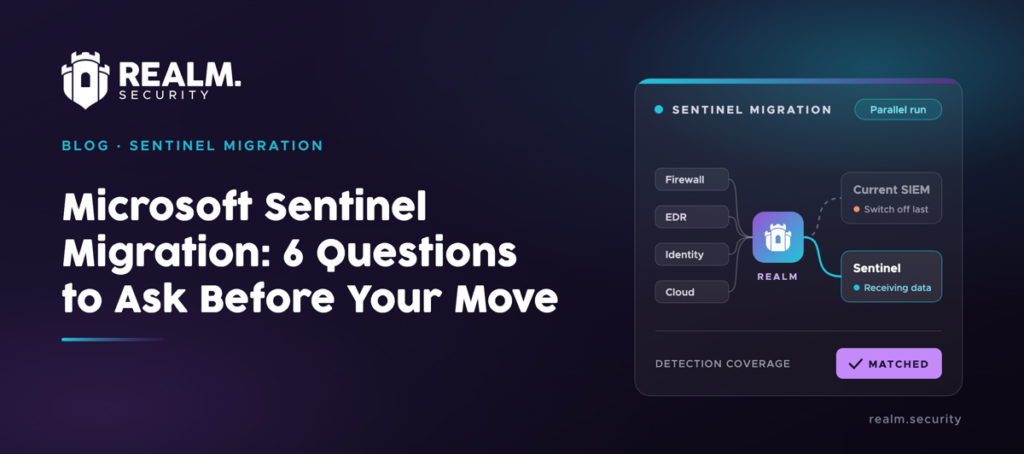
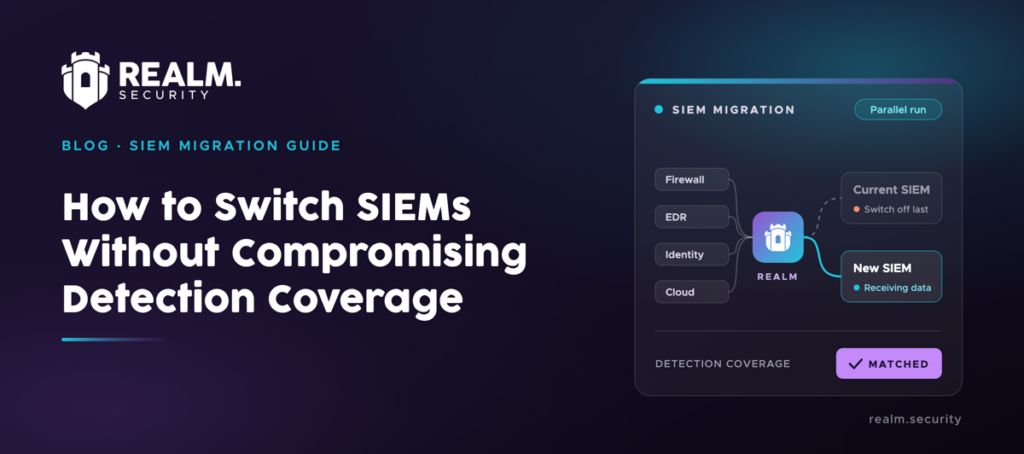
TL;DR: Realm sits between your security sources and your SIEMs. During a Splunk to Microsoft Sentinel migration, it lets you route and format data for both from one place, and cut unnecessary volume without removing what your detections need. You can also compare detection coverage in Splunk and Sentinel before you switch Splunk off.
Migrating from Splunk to Microsoft Sentinel is a pretty big project.
First, you need to work out what is actually worth moving. Then you have to translate or replace your detections, send the right data to Sentinel, run both platforms during the transition, and prove you haven’t lost coverage along the way. You also need to decide what to do with your historical Splunk data.
Microsoft provides tools for moving your detections and use cases into Sentinel. Its SIEM migration experience reviews the detection rules you export from Splunk, suggests similar detections in Sentinel, and identifies the connectors needed to bring in the data those detections use. Microsoft also has guidance on translating SPL to KQL, exporting historical Splunk data, and running Sentinel alongside an existing SIEM.
However, while Splunk and Sentinel are both running, you need to decide which data goes to each and make sure both receive what they need. Realm gives you one place to do that.
The five questions below explain how Microsoft’s tooling and Realm fit into your wider Splunk to Sentinel migration project.
How a Security Data Pipeline Makes a Splunk to Sentinel Migration Easier
A security data pipeline receives logs from your security tools before they reach your SIEM, and forwards them where they need to go.
This can make SIEM migration projects much easier.
For example, during a Splunk to Sentinel migration, some data may temporarily need to go to both SIEMs.
You may have to change the configuration of each firewall, identity system, and other source so it also sends data to Sentinel. You may then have to change those configurations again when you stop using Splunk.
A security data pipeline like Realm gives you one place to manage those changes. Your security tools continue sending their logs to Realm, while Realm sends each source to Splunk, Sentinel, or both.
Once you have validated your Sentinel detections and are ready to stop using Splunk, you simply stop Realm from sending data there.
Realm can also identify which log sources and fields your detections use. That lets you send less data to your SIEMs, and potentially pay less, while protecting the information your detections need to work.
Try Realm for yourself on your own data, for free.
5 Questions That Make Splunk to Microsoft Sentinel Migration Easier
Here’s what every SOC team should ask before moving data from Splunk to Microsoft Sentinel (plus, where Realm fits in).
- Which Splunk detections should move to Sentinel?
- How will you get your Splunk data into Sentinel in the right format?
- How will you run Splunk and Sentinel side by side?
- How will you know Sentinel is ready to replace Splunk?
- What happens to your historical Splunk data?
Question 1Which Splunk detections should move to Sentinel?
In its documentation, Microsoft notes that some of your existing Splunk detections may be redundant in Sentinel and advises against migrating everything over indiscriminately.
Instead, it suggests reviewing rules with no alerts in the past 6 to 12 months and determining whether they’re still relevant, plus removing low-level alerts your team routinely ignores.
Microsoft’s tooling can help with the detections you choose to keep. Its SIEM migration experience analyzes your exported Splunk rules, including custom detections, and recommends similar detections available in Microsoft Sentinel. It also identifies the data connectors those detections require and produces a report showing which Splunk rules do not have a close match.
The detections and other real-time use cases you keep determine which data Sentinel needs in its analytics tier. Data needed only for retention or historical queries can instead go to the lower-cost data lake.
See our Sentinel pricing guide to learn more about Sentinel pricing and how to reduce costs.
However, choosing the right tier can only reduce costs so far. You can go further by cutting fields and events your detections don’t use from the data still sent to the analytics tier.
Question 2How will you get your Splunk data into Sentinel in the right format?
Splunk detections use SPL, and Sentinel analytics rules use KQL. Even where the SIEM migration experience recommends a matching rule, the Sentinel version has to query the right tables and fields.
Where there’s no match, Microsoft says to build the rule manually, starting by mapping your data sources to the Sentinel tables the rule will query.
This means that the data the rule needs must be reaching your Log Analytics workspace, in the structure the rule expects. Microsoft advises revisiting your data collection to make sure you have enough depth and breadth of data for the use cases you plan to detect.
Sentinel’s SIEM migration experience shows which connectors each rule needs, but it doesn’t install them or enable the rules for you. Microsoft provides data connectors and ASIM normalization to help with this.
Question 3How will you run Splunk and Sentinel side by side?
Microsoft recommends moving to Sentinel gradually, starting with a small set of use cases, which means that for a while, you will likely run Splunk and Sentinel simultaneously.
For this period, Microsoft’s recommended side-by-side method is to keep Splunk analyzing on-premises data it already receives and forward its alerts to Sentinel. Analysts can then review alerts from both platforms in Sentinel without paying to ingest the same data twice.
However, once you move a detection to Sentinel, Sentinel needs the data that detection uses, because it won’t enable a rule until that data is in the workspace. So as detections move over, their data sources have to move with them.
Question 4How will you know Sentinel is ready to replace Splunk?
Microsoft’s guidance is to test each migrated rule in Sentinel before relying on it for live threat detection. Check that Sentinel is receiving the data the rule needs, run test scenarios for the activity it’s meant to catch, and check that the KQL query returns the expected results.
However, passing per-rule tests doesn’t mean your overall coverage is intact. Dropped detections and built-in Sentinel replacements that work differently could still leave gaps, such as an ATT&CK technique you detected in Splunk but no longer do in Sentinel.
Question 5What happens to your historical Splunk data?
To keep your Splunk history, you export it from Splunk and store it in Azure. Microsoft’s guide covers export methods for different data volumes.
For storage, Microsoft recommends the Sentinel data lake for most migrations, with up to 12 years of retention. Azure Data Explorer and Azure Blob Storage are alternatives for frequent access and for compliance or audit data, respectively.
Safe, Simple Splunk to Sentinel Migration with Realm
Connect your sources to Realm before you start your Splunk to Sentinel migration. Splunk will keep receiving the same data, and when you’re ready, you can add Sentinel as a destination in Realm. From then on, every routing change happens in Realm.
Book a working session with Realm to plan your move from Splunk to Sentinel.