TL;DR: Cribl and Realm can both feed your old and new SIEM side by side during a migration. Where they differ is what happens when you cut volume. Realm checks every reduction against the detections you already run, protects the data they depend on, and gives you a report showing coverage held, whichever SIEM you move to. Cribl is a general IT and security pipeline that, as of September 2026, also sells its own SIEM, Cribl Detect. Realm customer Vensure cut FortiGate firewall log volume by 83%, saved $254,901 a year, and lost zero detections. Start with Realm’s 7-Day Data Assessment, which shows the reduction and detection impact on one of your own sources.
If you’re researching Cribl SIEM migration, you probably already see the value of having a security data pipeline between your sources and your SIEMs. With a security data pipeline, you can keep your existing SIEM running while also sending data to the new one, and retain logs outside either platform.
Realm, the SOC-aware security data pipeline, is another option for your SIEM migration. To compare the two, look at how much of the work each one automates, and how each reduces data volume while keeping the logs and fields your detections need.
Below, we compare how Cribl and Realm handle each stage of a SIEM migration.
Note: The descriptions of Cribl in this article come from Cribl’s migration guidance and product announcements. For a general comparison of the two pipelines, see Cribl vs Realm: Cribl Alternatives for Security Teams.
What Both Pipelines Help You Do In a SIEM Migration
Cribl Stream and Realm both make it easier to migrate from one SIEM to another.
Both pipelines can:
- Send security data to the old and new SIEMs at the same time.
- Transform the data for each SIEM’s requirements.
- Reduce the volume sent to your SIEMs.
- Retain data outside the SIEM and resupply it later.
- Stop sending data to the old SIEM when the migration is complete.
In other words, with a security data pipeline, you can build and test your new SIEM while also continuing to send data to and run your existing SIEM.
Cribl vs Realm: Which Fits Your SIEM Migration?
The best security data pipeline for a SIEM migration will depend on several factors, including how much (if any) engineering time your team can devote to configuring and maintaining the pipeline, and how you want to check that data reductions preserve what your detections need.
Consider Cribl if:
- Your old SIEM also serves non-security teams, and you need to route their data to observability or analytics tools after the move.
- You want the option of getting your pipeline and your new SIEM from one vendor, using Cribl Stream and Cribl Detect.
- You want flexibility to customize data processing pipelines, and your team has the engineering time to configure, test, and maintain them.
Consider Realm if:
- You want a pipeline built for security data.
- You want a pipeline from a vendor that doesn’t sell a SIEM, so your choice of SIEM stays open.
- You want to use your existing detections to identify what data must be preserved and automatically build protection rules before reducing SIEM volume.
- You want the platform to recommend data processing rules, based on your sources and what each destination needs, for your team to review and approve.
- You want the pipeline live in about seven days, with no code and no data engineers.
How Cribl and Realm Handle Each Stage of a SIEM Migration
Here’s how Cribl and Realm help with moving to a new SIEM.
- Choosing the new SIEM
- Connecting your sources to the pipeline
- Deciding what to reduce before migrating SIEMs
- Preparing the data for each SIEM
- Rebuilding detections for the new SIEM
- Keeping data flowing during the migration
- Keeping your history searchable after switching SIEMs
Stage 1Choosing the new SIEM
Your pipeline has to support the SIEM you’re moving to, and some pipeline vendors now sell a SIEM of their own.
Cribl can move your data to another SIEM or become the new SIEM
Cribl Stream can send your data to another vendor’s SIEM, including Splunk, Microsoft Sentinel, Google SecOps, CrowdStrike Falcon Next-Gen SIEM, and Exabeam.
Alternatively, you can move to Cribl Detect, the SIEM Cribl launched in September 2026, built on its platform and available to Cribl.Cloud customers.
Cribl can also split workloads across several destinations when the migration goes beyond security monitoring.
Realm works alongside the SIEM you pick
Realm sends to the major SIEMs, including Splunk, Microsoft Sentinel, Cortex XSIAM, CrowdStrike NG-SIEM, Google SecOps, and Sumo Logic.
Because Realm doesn’t sell a SIEM, it has no reason to steer you toward one. Its job is to get your data to the SIEM you choose, and if you move again, your pipeline and retained data stay with you.
Stage 2Connecting your sources to the pipeline
Before the pipeline can send data to both SIEMs, your sources have to send data to the pipeline. That can mean pointing your existing agents and forwarders at the pipeline, or replacing them if they can’t send anywhere except the old SIEM.
Cribl collects data with Edge and Stream
Cribl Stream works with the agents you already have. If you need to replace them, Cribl Edge is Cribl’s own agent for collecting logs and metrics.
Realm supports most security sources
Realm takes data from any source that can deliver over a supported transport, such as syslog, Splunk HEC, an HTTP webhook, S3, Azure Blob, or Realm’s on-prem collector. It also has managed connectors for sources it pulls from, such as Okta.
Stage 3Deciding what to reduce before migrating SIEMs
Copying everything into the new SIEM without reducing unnecessary data can result in the same high data ingestion costs, which is not ideal, especially if you’re switching SIEMs with the goal of reducing costs.
A SIEM migration is a good time to rethink what data you ingest. While both SIEMs run side by side, you may pay to ingest the same data twice. Reducing volume before you add the new SIEM can lower what you send to both.
That said, before you remove any fields or events, you need to check whether your detection rules depend on them. Otherwise, you risk lowering costs at the expense of working detections.
Cribl lets your team configure reductions and test detections in the new SIEM
Cribl Stream can remove null values, non-CIM fields, syslog headers, and duplicates before routing data to a SIEM.
Cribl’s migration checklist recommends testing detections in the new SIEM on live data, including any reductions your team applies, while the old SIEM continues receiving the original logs.
However, none of the Cribl sources we reviewed for this comparison say that Cribl uses your existing detections to automatically build protection rules that would prevent Stream reductions from removing data those detections need. Ask Cribl to demonstrate whether (and how) it supports that workflow.
Realm ties reductions to your existing detections
Before you decide what to cut, Realm shows which fields take up the most space in each connected source, and the top values inside them.
Detection integrity, a capability inside Realm Clarity AI, the intelligence layer of the Realm Platform, accepts any detection in text form, including Sigma, SPL, KQL, CrowdStrike CQL, Sumo Logic Search Query Language, SentinelOne, and Cortex XDR. It maps each detection you run to MITRE ATT&CK and to the log sources and fields it needs, and shows how much log volume each one relies on.
It then builds protection rules from those detections. If Realm can’t safely build a rule for a detection, it flags that detection as a finding and doesn’t cut the data the detection depends on.
Before applying a recommended reduction rule, Realm runs it against live data and estimates how much volume and cost it would save. Your team reviews the projected impact and decides whether to activate the rule. Nothing changes until you approve it. When the analysis runs, you get a report showing what was reduced, what was protected, the percentage of logs protected, and your MITRE ATT&CK coverage. It’s what you hand leadership or audit when someone asks whether the migration cost you coverage.
Vensure used Realm to cut FortiGate firewall log volume going into Sumo Logic by 83%, saving $254,901 a year with zero detections lost.
Stage 4Preparing the data for each SIEM
During a SIEM migration, your old and new SIEM may expect the same data in different formats, so the pipeline has to format it separately for each.
Cribl lets your team build and validate data processing pipelines
Cribl lets your team configure parsing, filtering, enrichment, and routing, and Packs provide reusable configurations you can install and modify.
Copilot Editor can also generate pipelines from plain-language instructions describing how you want the logs processed.
Your team reviews and validates those configurations before deployment, then confirms that each SIEM receives the required data in the expected format.
Realm recommends data processing rules for your team to review and approve
Clarity AI profiles the sources you connect and knows what each destination needs, then recommends rules for normalizing, filtering, enriching, and routing the data.
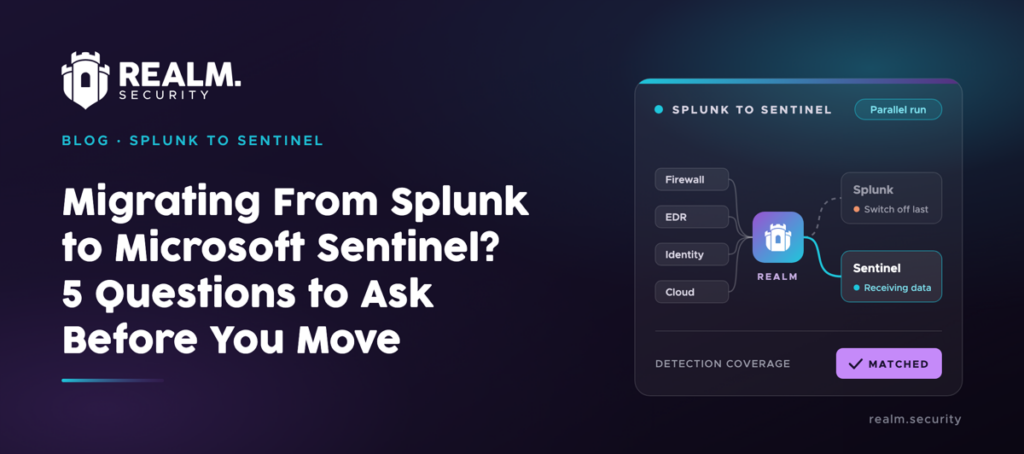
During a migration, Realm can send data to both SIEMs in the formats they each require, so that your old SIEM keeps getting data as usual while you test the new one.
A global manufacturer used Realm to translate more than 1,000 KQL rules and their Data Collection Rule logic into protection rules in 72 hours.
Stage 5Rebuilding detections for the new SIEM
Each SIEM has its own query language, such as SPL in Splunk or KQL in Microsoft Sentinel, so most detections need converting when you move. A converted detection only fires if the data it needs reaches the new SIEM in the format the query expects.
Cribl Detect supports detection translation if you move to Cribl’s SIEM
If you’re moving to another vendor’s SIEM, Cribl’s migration checklist has your team rebuild and test detection content in that SIEM, using the production data Stream sends it.
If you’re moving to Cribl Detect, it supports Sigma rules and assisted query translation, and includes more than 8,000 prebuilt detection templates. Detect’s detection posture management is part of Cribl’s SIEM, so it only applies if you move to Cribl Detect. It maps your rules to MITRE ATT&CK and finds gaps once they exist, such as rules that are already missing the telemetry they depend on, or rules broken by schema drift.
Realm rebuilds its protection rules from your new detections
Detection integrity protects the data your detections rely on before anything is cut, whichever SIEM you use, from the parallel run through to cutover.
During the parallel run, Realm keeps protecting the data your current detections depend on. Your old SIEM keeps detecting as it always has, while you cut the volume going to both SIEMs.
When your converted detections are ready, you can upload them and re-run the analysis. Detection integrity reads them in the new SIEM’s query language, maps each one to the log sources and fields it depends on, and Realm rebuilds the protection rules from the new set.
The reductions you’ve already made then don’t starve the detections you just converted, so they have the data they need when the new SIEM goes live.
Stage 6Keeping data flowing during the migration
While both SIEMs are running, your team needs a way to spot and handle any interruptions in log delivery so that missing data doesn’t lead to monitoring gaps or compromise new SIEM testing.
Cribl offers configurable notifications, plus built-in monitoring on Cribl.Cloud
In Cribl Stream, administrators can set notifications for a source that goes quiet or a destination that turns unhealthy, and choose the conditions that trigger them.
On Cribl.Cloud, Cribl Insights monitors the Cribl environment with no setup. It learns what normal data flow looks like and flags deviations, such as a drop in volume.
Your team chooses how each destination behaves during an outage. Depending on your Cribl plan, supported destinations can use persistent queues, which Stream forwards when the destination becomes available again.
With persistent queues enabled and capacity available, Stream can hold the copy for an unavailable SIEM while continuing delivery to the other.
Realm monitors feed health and queues data by destination
Realm alerts on feed health issues, such as a source that stops sending or a destination that returns errors. It also detects schema drift, so a source that changes its log format is caught before it breaks parsing.
If one SIEM goes offline, Realm holds its data in that destination’s persistent queue for up to 14 days and sends it on automatically once the SIEM is back. The other SIEM keeps receiving data as normal.
Stage 7Keeping your history searchable after switching SIEMs
Before switching off your old SIEM, make sure you can still access any historical logs you need for investigations or audits.
Cribl lets you route data to object storage and replay it when needed
Cribl’s migration checklist recommends that you keep the data your detections need in the SIEM and send bulk data to object storage, then send it back to the SIEM when needed.
Cribl Lake keeps data in open formats, and your team queries it with Cribl Search.
If you’re moving to Cribl Detect, its federated search lets analysts investigate data across connected data lakes, object storage, and other SIEMs without moving it all into Cribl first.
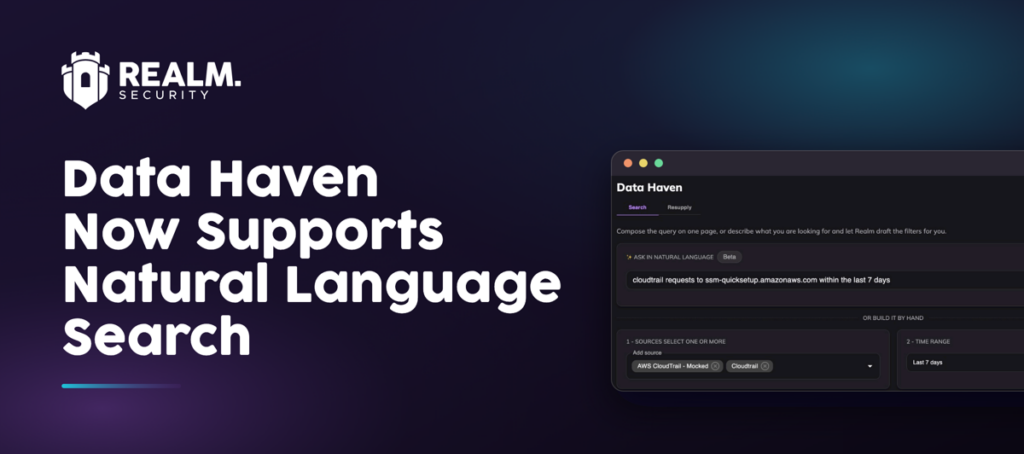
Realm retains every connected source in Data Haven
Every source you connect to Realm is copied into Data Haven, the searchable retention layer of the Realm Platform. The copy is raw and immutable, with OCSF-normalized observables attached, and there’s no per-source setup.
During and after the migration, analysts can search retained logs by time range, source, and observable in a graphical query builder, with no query language to learn. When the new SIEM needs older events for an investigation, you resupply only those events to it.
Data Haven is priced on ingest, so you aren’t charged per search or per resupply. The data stays in an open format, and you can use Realm’s managed service or your own S3 bucket.
Data Haven holds data from the day a source is connected. Connect your sources at the start of the migration, and data from that point on won’t depend on the old SIEM. You’ll need a separate export and retention plan for logs already stored in your old SIEM.
What to Ask Cribl and Realm to Demonstrate
Before choosing a pipeline, ask each vendor to demonstrate these workflows using your own data and SIEM setup:
- Show how your sources connect to the pipeline, including which existing agents and forwarders you can keep, reconfigure, or need to replace.
- Preview a reduction and show which detections depend on the affected data, and what happens if the change would remove data they need.
- Send the same source’s data to both SIEMs in the formats each needs.
- Show how delivery continues to one SIEM while the other is unavailable, and how queued data is recovered.
- Search retained logs and send selected events to the new SIEM, including any retrieval charges.
- Show what your team must configure and maintain, and what the platform automates.
Getting Started with Realm
To see what Realm would cut from one of your sources, and which detections it would protect, start with a 7-Day Data Assessment.